
Why Your Business Phone System Needs an Upgrade
VoIP system features are the tools that power Voice over Internet Protocol phone systems, including call forwarding, video conferencing, and mobile apps. These features turn your internet connection into a powerful business phone system that does far more than traditional landlines.
Key VoIP System Features You Should Know:
- Core Call Features – Call forwarding, transfer, hold, park, and voicemail transcription
- Customer Service Tools – Auto-attendants, IVR menus, call queues, and music on hold
- Collaboration Features – Video conferencing, instant messaging, and unified communications
- Advanced Management – Call recording, analytics, and detailed reporting
- Business Integrations – CRM connections, Microsoft Teams, and mobile/desktop apps
- Bonus Capabilities – Number porting, toll-free numbers, custom caller ID, and e-faxing
Many Ohio businesses find their old desk phones—tethered to copper wires and limited to basic calling—can’t keep up. The Federal Communications Commission has even announced plans to phase out traditional landline services, making an upgrade inevitable.
Here’s the thing: VoIP isn’t just a cheaper alternative. It’s a complete change of how your business communicates.
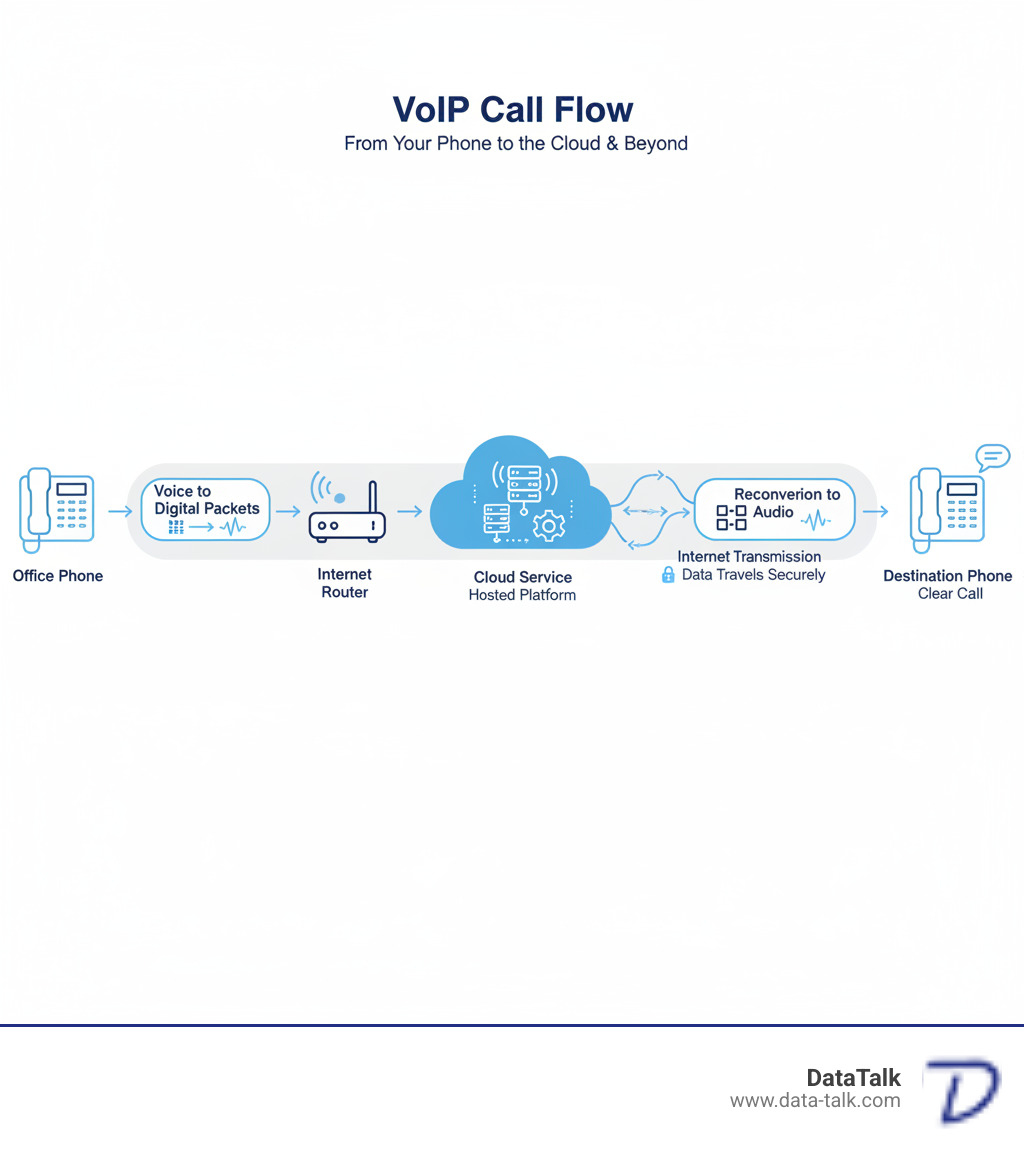
While traditional phones use analog signals on copper lines, VoIP converts your voice into digital data that travels over the internet. This change open ups features that were impossible or too expensive with old systems.
The result? Businesses switching to VoIP often reduce their phone costs by up to 50% while gaining features like video meetings and CRM integration. For example, one Ohio firm with 325 employees saw 30% annual revenue growth after switching to VoIP, citing improved efficiency from their new phone system.
A common concern is reliability. However, modern VoIP systems, when properly configured on a healthy network, often provide better call quality and reliability than traditional phones.
The Ultimate Guide to Essential VoIP System Features

Business communication has evolved. What once required expensive hardware can now be managed from a web browser, a revolution brought to Ohio businesses by VoIP system features.
The real power is scalability to add employees quickly, flexibility for remote and hybrid work, and support for a modern workforce that traditional systems can’t match.
Let’s walk through the VoIP system features that make this possible.
Core Call Handling & Management: Must-Have VoIP System Features
These are the foundational features that handle your daily call flow and keep your business running smoothly.
Call forwarding ensures you never miss an important call. Route calls to your mobile phone, a colleague, or any other number, ensuring you’re always reachable.
When a call needs to go to a different person, you have two options. A supervised transfer lets you speak with the recipient first to introduce the call, while a blind transfer sends it directly—perfect for internal routing.
Call routing acts as an automatic, intelligent receptionist. Route calls based on time of day, caller ID, or department needs. Send VIP clients to the front of the line or after-hours calls to an on-call phone, making your business look professional 24/7. We cover the details in our guide on Everything Business Leaders Need to Know About Call Routing.
Call hold does what you expect, but with VoIP, you can customize what callers hear, such as music or company announcements.
Call park lets you place a call in a virtual holding spot that anyone in your office can pick up. For example, park a call with an accounting question, and a colleague in that department can retrieve it from their own phone.
Voicemail-to-email delivers messages as audio files to your inbox. Even better, voicemail transcription converts them to text, so you can quickly scan messages and prioritize callbacks.
Call recording is useful for training, dispute resolution, and quality assurance. Just remember to check local laws about recording consent. For businesses handling lots of calls, we explain more in Three Crucial Reasons Why Call Recording is Necessary for Call Centers.
Call analytics and reporting provides the data to make smart decisions. See customer wait times, busiest hours, and call volumes to help you staff appropriately and identify problems.
Advanced VoIP System Features for Productivity and Customer Service
These VoIP system features lift your phone system from functional to exceptional.
An auto-attendant is your virtual receptionist, greeting callers professionally and routing them to the right place (“Press 1 for Sales, Press 2 for Support”).
IVR (Interactive Voice Response) systems let callers use voice or keypad commands to get information like account balances or business hours. The key is to keep the menu simple for a good user experience. We share important insights in 8 Things That Business Owners Should Know About IVR Systems.
When call volume spikes, call queues make callers wait in line instead of getting a busy signal, with periodic updates on their wait time.
Music on hold prevents callers from thinking they’ve been disconnected. Use this time to play music or share company promotions.
Unified Communications (UCaaS) brings voice, video, messaging, and file sharing into one platform. With the market growing over 17% annually and AI integration on the rise, UCaaS is becoming the standard for business communication. Learn how this helps smaller companies in our article How UCaaS Improves Small Business Customer Experience.
Instant messaging handles quick questions that don’t require a call or email, keeping work flowing without unnecessary interruptions.
Video conferencing is essential for remote and hybrid teams, allowing for face-to-face connection regardless of location. Features like screen sharing make communication clearer.
Mobile and desktop apps (softphones) turn any computer or smartphone into a business phone. This is crucial for hybrid teams, giving employees the same features whether at their desk or working remotely.
Bonus Features and Powerful Integrations
These VoIP system features add convenience and connect your phone system to other business tools.
Number porting lets you keep your existing phone number. You can transfer your current business numbers to your new VoIP service, so customers never notice the change.
Toll-free numbers (800, 888) make your business look established and are valuable if you serve customers across multiple states.
Custom caller ID lets you control what number appears when you make outbound calls, making them more recognizable.
E-faxing is still required in some industries like legal and healthcare. It lets you send and receive faxes via email without a physical machine and is more secure than traditional faxing.
CRM integration is a game-changer. Connecting VoIP to your CRM can trigger screen pops with customer history, log calls automatically, and enable click-to-dial. Businesses report 49% better data quality with such integrations. We’ve written a complete guide: Our Comprehensive Guide to Integrate VoIP CRM Technology at Your Business.
Microsoft Teams integration allows you to make and receive calls directly within the Teams application, unifying your communication tools.
Business application integration extends to helpdesk software, Google Workspace, and more, helping to automate workflows and eliminate duplicate data entry.
Making the Switch: A Practical Checklist for Your Business

Switching to VoIP doesn’t have to be overwhelming. Like upgrading to a smartphone, the benefits quickly become clear. For any Ohio business, a clear plan is the key to a successful transition.
The key is understanding what you need. We’re not talking about complicated technical jargon—just practical considerations for better business communication.
What Equipment and Internet Connection Do You Need?
VoIP’s flexibility is a major advantage. You’re not locked into one type of setup and can mix and match what works for your team.
IP phones are desk phones built for internet calling. They connect to your network via an Ethernet cable or Wi-Fi. Costs range from $80 for a basic model to $600 for an advanced phone with more features, suitable for receptionists or executives.
If you have analog phones, Analog Telephone Adapters (ATAs) can bridge the gap. These devices convert the analog signal to digital data for your VoIP service, offering a budget-friendly way to transition.
Softphones are applications that turn your computer or smartphone into a business phone, with no desk phone needed. Softphones are game-changers for hybrid and remote work arrangements.
VoIP relies completely on your internet connection. Unlike traditional phones powered by copper lines, VoIP requires a solid broadband connection (cable, DSL, or fiber) and power to your network equipment.
How much internet speed do you need? Each VoIP call uses about 100 Kbps of bandwidth. If you have 10 simultaneous calls, you’d need about 1 Mbps dedicated to voice traffic, which is modest by today’s standards.
However, speed isn’t everything. Quality of Service (QoS) is just as important. QoS tells your network to prioritize voice traffic, preventing choppy audio and dropped calls. This acts like a carpool lane for your phone calls on your network. For a deeper dive, check out Everything Columbus, Ohio Entrepreneurs Should Know About VoIP QoS.
Power over Ethernet (PoE) is another useful feature. Many IP phones can get power through the same Ethernet cable that carries data. This simplifies installation by eliminating separate power adapters and can keep phones running during power hiccups if your network switch has battery backup. To understand why this matters, read What Exactly is PoE and Why is it Important?.
Understanding Costs, Security, and Reliability
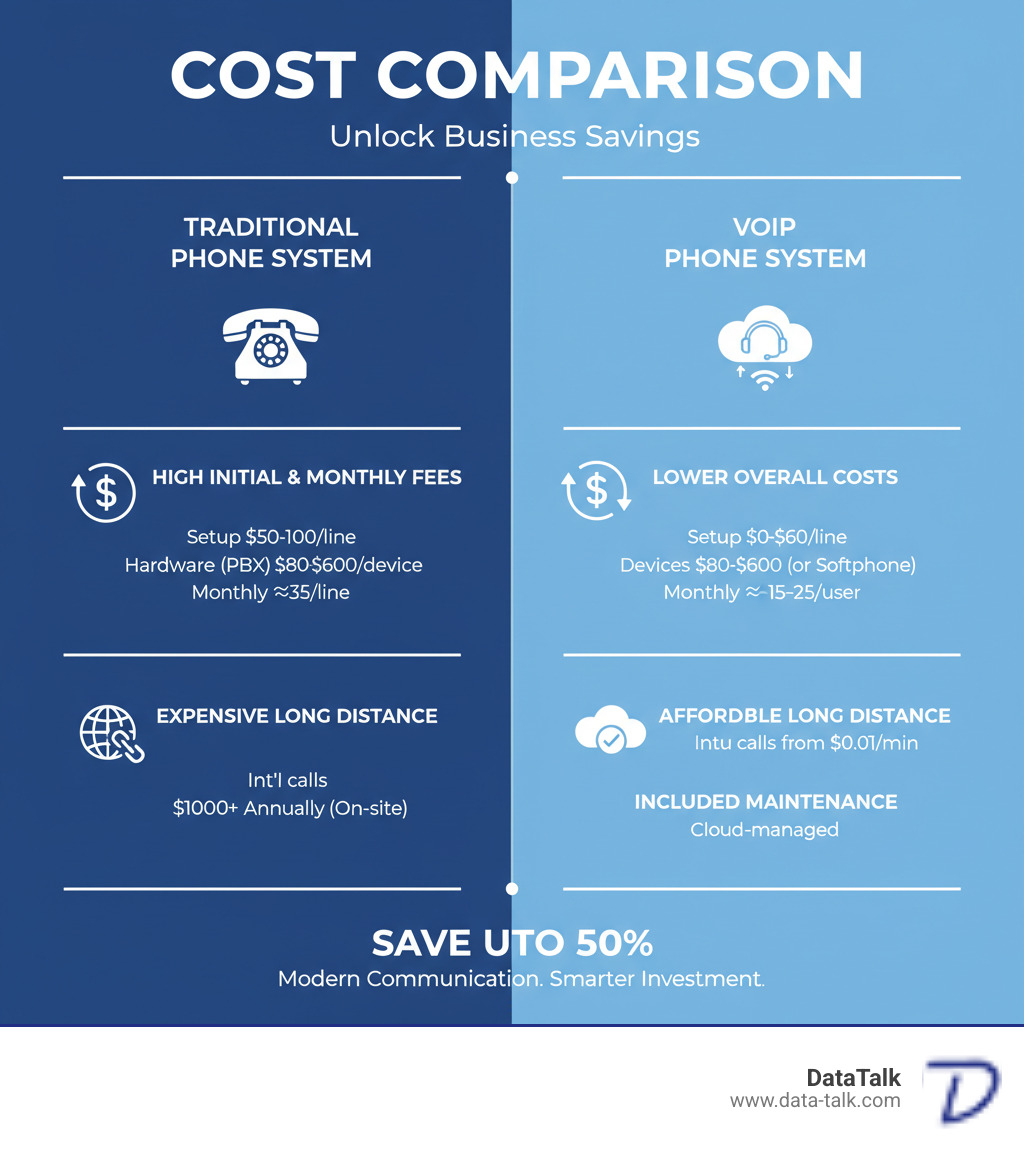
VoIP typically saves businesses a significant amount of money compared to traditional phone systems.
Traditional systems often cost around $35 per line monthly plus hidden fees, with expensive installation and hardware. Long-distance and international calls add up quickly.
VoIP flips that model. Most businesses pay between $15 and $25 per user per month. Setup costs are lower, and international calls can be as little as $0.01 to $0.04 per minute. Many businesses reduce their phone costs by up to 50%.
Here’s a comparison that shows the real difference:
| Feature | Traditional Phone System | VoIP Phone System |
|---|---|---|
| Monthly Costs | ~$35 per line + hidden fees | ~$15-$25 per user per month |
| Initial Costs | Installation $50-100 per drop | $0-$60 per line (setup) |
| Device Costs | High, often proprietary PBX hardware | $80-$600 per IP phone (or use softphones) |
| Long Distance | Expensive, especially international | International as low as $0.01-$0.04 per minute |
| Maintenance | $1000+ annually for contracts, on-site | Often included in monthly fee, cloud-managed |
| Overall Savings | Higher | Reduces call costs by up to 50% |
Security is a valid concern, as your voice data travels over the internet.
Modern VoIP systems use call encryption (SIP-TLS and SRTP) to protect both signaling and audio from eavesdropping. This encryption ensures conversations remain private. Reputable providers also implement robust network security like firewalls and intrusion detection. Strong authentication protects access to your VoIP system features. For a comprehensive look, read Is Your VoIP Phone System Secure?.
What about reliability? Modern cloud-based VoIP systems are designed for exceptional reliability, with many providers offering 99.999% uptime guarantees (about 5 minutes of downtime per year). This is achieved through redundant data centers and 24/7 monitoring.
Features like local survivability and automatic failover maintain calling capabilities during outages by redirecting calls to mobile phones or other locations. In practice, a well-configured VoIP system is often more reliable than traditional phone lines, which are vulnerable to physical damage and outdated infrastructure. For detailed guidance, explore Are You Prepared? Business Continuity and Disaster Recovery.
At DataTalk, our VOIP Scout Test guarantees your network is ready for optimal voice quality before we deploy anything. We ensure your experience with VoIP exceeds expectations from day one.
Frequently Asked Questions About VoIP
We talk to business owners every day who have great questions about how VoIP works. We understand you need to know how it handles critical functions like emergency calls and keeping your existing phone numbers. Let’s walk through the most common questions.
How does VoIP handle emergency 911 calls?
This is a critical question. Your ability to reach emergency services is paramount.
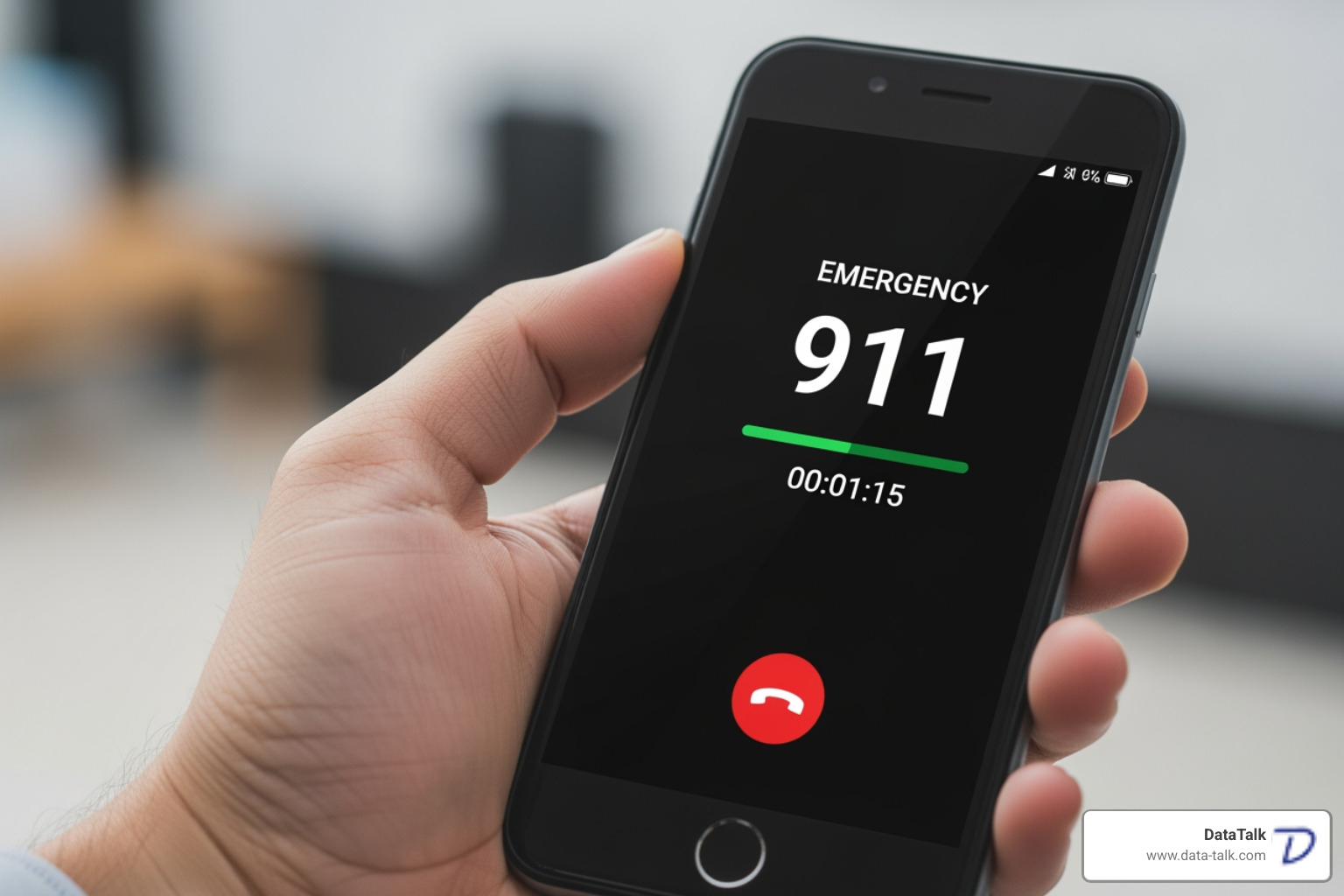
VoIP handles 911 calls differently than landlines, but the FCC requires interconnected VoIP providers to offer Improved 911 (E911) service. Here’s what you need to know.
When you set up your VoIP service, you’ll perform an address registration for the physical location where you’ll use it. This address is transmitted to dispatchers when you dial 911. Unlike landlines, where the address is tied to a physical line, VoIP requires you to keep this information current.
If you move a VoIP device to a new location (like a home office), you must update your registered address. Otherwise, emergency services could be sent to your old address.
Mobile app limitations are also important. VoIP mobile apps use your registered address for E911, not your phone’s GPS. For this reason, always use your mobile phone’s native dialer for 911 calls when you are not at your registered location, as it provides more accurate location data.
There’s also the power outage consideration. Since VoIP requires electricity, your phone service won’t work during a power outage unless you have a battery backup for your modem and network equipment.
The FCC has established clear requirements for VoIP providers, including expanding local number portability. You can read more about the FCC rules on number portability for regulatory details.
Can I keep my existing phone number when I switch?
Yes! This is one of the easiest parts of switching to VoIP.
The process is called number porting (or Local Number Portability). It allows you to transfer your current business phone numbers—local, toll-free, or fax—from your old provider to your new VoIP service.
FCC rules require your old provider to release your numbers, so they cannot hold them hostage.
Here’s how the porting process works: You’ll sign a Letter of Authorization (LOA), and your new VoIP provider will coordinate the transfer directly with your old provider. We handle all the paperwork.
When done correctly, there is no service interruption. Your phones work throughout the transition, and your contacts won’t notice a thing. We ensure this process is seamless for our Ohio clients.
What are the main advantages and disadvantages of VoIP?
For most modern businesses, the benefits of VoIP far outweigh the drawbacks.
On the advantages side, the cost savings are substantial. Businesses often reduce phone costs by up to 50%, with typical per-user monthly fees of $15-$25. This price usually includes advanced features like auto-attendants, call queues, and video conferencing that cost extra on traditional systems.
Flexibility and scalability are also key benefits. Your phone system grows with you, allowing you to easily add new users or locations. This adaptability is invaluable for today’s hybrid and remote work environments.
From a customer service perspective, features like IVR and call analytics help you handle inquiries more professionally and efficiently.
Now for the disadvantages. The biggest is internet dependency. VoIP depends on your internet connection. An outage can disrupt service unless failover solutions are in place. That’s why our VOIP Scout Test is crucial to verify your network’s readiness.
Power outage risk is another factor. Without backup power for your internet equipment, you won’t have phone service. Traditional landlines don’t have this vulnerability.
The E911 differences we discussed require you to keep your address information current.
Finally, a poor internet connection can cause call quality problems. However, potential call quality issues are preventable with proper network preparation. A well-configured network with adequate bandwidth and QoS delivers excellent call quality, often superior to traditional lines.
Most disadvantages can be managed or eliminated with proper planning and setup, which is where an experienced provider makes all the difference.
Conclusion: Is Your Business Ready for the VoIP Revolution?

From core features to the logistics of making the switch, it’s clear that upgrading to VoIP is more than just swapping out old phones.
The shift to VoIP is about future-proofing your business communications. The ability to handle calls from anywhere, integrate with your CRM, and scale on demand positions your business to thrive in a digital world.
And here’s the reality: traditional landlines are on their way out. The FCC has already announced plans to phase out old phone regulations, signaling the end of an era. For Ohio businesses, this isn’t a distant concern. The question is not if you’ll switch to VoIP, but when—and whether you’ll do it proactively or be forced to scramble later.
We understand the biggest worry is reliability. Will calls be clear? Will the system be dependable? These are fair questions, and it’s why we do things differently at DataTalk.
Before we deploy any VoIP system, we run our VOIP Scout Test on your network. This proactive assessment checks your internet connection and network infrastructure to guarantee that your voice quality will be crystal-clear from day one. We don’t just sell a phone system; we ensure your network is ready to support it. That’s our guarantee: no surprises, no choppy calls, and no regrets.
The businesses we work with across Ohio are using advanced VoIP system features like video conferencing and unified communications to work smarter, serve customers better, and grow faster. They’re saving money while gaining capabilities that traditional phone systems could never offer.
So, is your business ready? If you’re tired of being limited by outdated technology and want a phone system that works as hard as you do, then yes—you’re ready.
Explore our Business Phone Systems and let’s talk about how we can ensure a smooth, successful transition for your team.